Better dunning.
Faster payments.
Automated dunning made easy: Automating payment reminders and dunning notices not only saves time, it also increases the likelihood of receiving your payments.
- Efficient. Automated. Reliable payments.
- Remind customers about payments with no effort.
Trusted by 80,000+ companies & partners




Why automated dunning with easybill?
Our goal is to simplify your dunning process and ensure you never miss an unpaid invoice again. With easybill’s automatic dunning feature, you can keep your finances under control without having to worry about manual processes.
Optimized dunning notices for maximum efficiency
Most business owners know this: customers don’t always pay on time or don’t immediately settle the full invoice amount. In such cases, the first dunning run often starts, tying up additional time and resources. But it doesn’t have to be that way, thanks to easybill’s automated dunning.
Solo self-employed professionals and small businesses in particular often hesitate to send a dunning notice immediately when payment is late. The reason: fear of putting customers off and losing orders.
This is where automated dunning can help. With our service, you can rely on professional receivables management – and customers appreciate good organization.
More liquidity and time for your business
If you don’t (any longer) have to keep an eye on payment deadlines, you’ll have more time to invest in other day-to-day business tasks. Because with an integrated automated dunning process, there’s no need for a manually written, individually prepared payment request. The same goes for the next reminder a few days later.
In addition, easybill monitors the receipt of payment – taking the load off you here as well.
When it comes to sending payment reminders and dunning notices, you don’t have to limit yourself either: mail, email, or fax are available to you as sending options.


Automated service, individual configuration
Although our integrated dunning process runs automatically, that doesn’t mean you can’t adapt it to your individual needs. For example, you have the option to create custom templates for each customer and define when the dunning run should start. Use our document templates and save even more time!
Our latest feature also saves time: the rule preview. It lets you see at a glance which settings and parameters you selected for each customer. This way, you can adjust them quickly and with minimal effort—if it should become necessary.
The customer-friendly way to send payment reminders
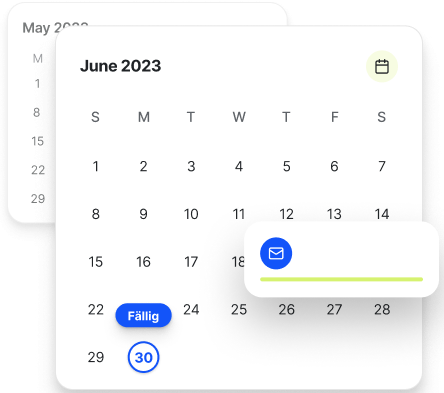
If you don’t want to send your customer a dunning notice right away, you can use another feature of our software: For larger invoices or long payment terms, send your customer a brief note a few days before the due date.
This helps you avoid having to send a dunning notice in the best-case scenario and charging your customer fees for it. This also contributes to a good customer relationship and a cooperative partnership.
Exclude certain customer groups from the dunning process
In addition, in easybill you can define certain customers who should not be included in the dunning run. This is especially helpful if you have made individual arrangements with your customers and want to accommodate them.
Automated process from start to finish
Even with a fully automated dunning process, there will always be customers who don’t pay—and here too, you can rely on our service. Because easybill provides you with an interface to hand over your receivables directly to a debt collection service provider—also completely automatically and without much additional effort.
An overview of the benefits of our integrated automated dunning process:
- easybill automatically monitors deadlines and overdue invoices
- The dunning process can be controlled individually and set up in multiple stages
- Payment reminders and dunning notices are created automatically
- Sending by post, email, or fax is possible
- Document templates can be customized individually
- Receivables can be prepared automatically for transfer to a debt collection service provider
Efficient receivables management with an automated dunning process
- Optimise your payment processes and minimise your administrative effort
- Stricter compliance with payment reminder deadlines and tax regulations
- Customer loyalty: Smooth processes, long-lasting business relationships

Frequently asked questions
about easybill and automated payment reminders
Yes, it is possible to customise the reminders to suit your needs. For example, you can adjust the content, appearance and number of days after which a reminder should be created and sent.
You can send a payment reminder if your customer has not paid the invoice on time. It is recommended to send the reminder about one week after the invoice due date or a few days before the deadline expires. It is important to remain polite and professional in your wording. This can help customers make their payments faster. To avoid the tedious manual writing of payment reminders, you can, for example, use easybill to automate this process.
They can be sent by post, email or fax.
The number of reminders you can send is not regulated by law. However, it is recommended to send no more than three reminders. The first reminder should be friendly, the second more insistent and the third worded as a “final reminder”. It is important that reminders are worded politely and professionally and comply with legal requirements.
easybill Erfahrungen
Unsere Kunden lieben uns